
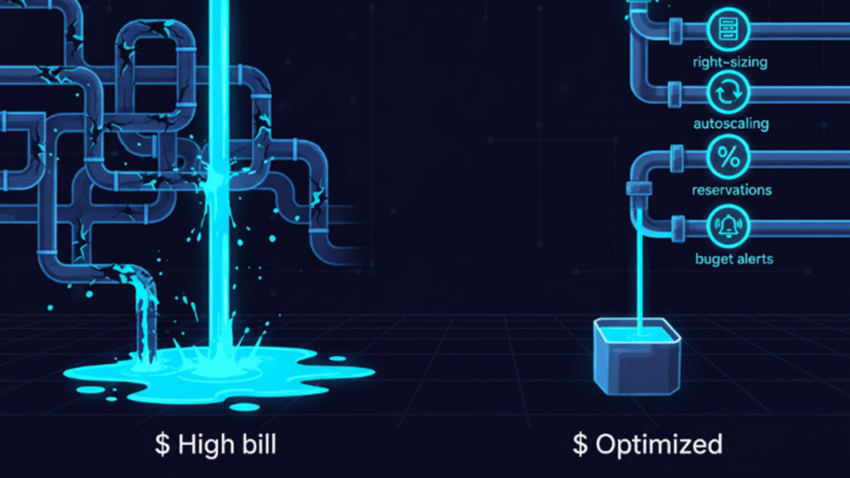
The Most Common Configuration and Architecture Mistakes
Most companies don’t have an Azure pricing problem. They have an architecture problem. Cloud costs rarely spike beyond your budget because Azure is too expensive. They grow fast because of configuration mistakes, poor governance, and architecture decisions that ignore how Azure pricing actually works.
If your Azure costs rise above expectations, chances are one of these issues is involved. Let’s look at the most common causes of growing costs.
1. Oversized Virtual Machines
Oversized machines occur quite often. The size is not properly selected, and no fine-tuning is applied later. How can this happen?
Teams deploy:
- D8 size instead of D4, just in case
- VMs sized for peak load
- Machines that run 24/7 at 10% CPU
Azure charges for allocated compute, not actual usage. If a VM runs at low utilization, you still pay full price.
How to fix it:
- Review Azure Advisor recommendations.
- Monitor CPU and memory for a few weeks to see if you overprovisioned
- Use Azure Savings Plans or Reserved Instances for steady workloads
- Use start-stop scheduling if your machine does not need to run 24/7
Right-sizing alone can reduce compute costs. Microsoft provides cost optimization guidance.
2. No Autoscaling
Many teams move to Azure but keep static infrastructure. They provision for peak and rarely scale down.
Azure provides scaling options like:
- Virtual Machine Scale Sets
- App Service autoscale
- Azure Kubernetes Service scaling
If your traffic drops and your infrastructure does not, you are paying for the compute resource allocation. Not your actual use.
On-Prem vs Azure Reality
| Scenario | On-Prem | Azure |
| Peak traffic | Buy hardware | Scale up |
| Low traffic | Hardware idle | Scale down |
| Billing | Fixed | Usage-based |
Elasticity is one of the biggest advantages of the cloud. If you do not leverage it, Azure becomes expensive.
3. Ignoring Reserved Instances and Savings Plans
Pay-as-you-go is the most expensive compute model. However, this has certain usability, so do not disregard it. As a cost reduction option for predictable resources, Azure offers:
- Reserved Virtual Machine Instances
- Azure Savings Plans for Compute
If workloads are stable for 1–3 years, these options can reduce costs significantly.
From my article about reservations and pay-as-you-go. ->
| Feature | Azure Savings Plan | Azure Reservations | Pay as you go |
| Commitment | 1 or 3 years of committed hourly spend | 1 or 3 years commitment to specific resources | No commitment |
| Flexibility | Applies to various resources and regions | Specific to reserved resources | Maximum flexibility |
| Cost Savings | Moderate (varies with usage) | High (up to 72%) | None (standard rates apply) |
| Best For | Predictable cloud usage, flexibility needed | Consistent, predictable workloads | Fluctuating or unpredictable usage |
| Billing | Upfront or monthly | Upfront or monthly | Pay per usage |
Many organizations forget to evaluate reservations after migration. This can be an easy way to decrease the costs for the predictable workloads that are planned to run for a longer period.
4. Data Egress and Network Design
Data transfer is one of the most underestimated Azure costs. Ingress (data into Azure) is usually free. Egress (data leaving Azure) is not.
Common surprises:
- Large data exports
- Hybrid connectivity with high volume
- Misconfigured backup replication
Architecture matters here. If services communicate across regions or across availability zones unnecessarily, you pay extra. Designing network topology correctly can reduce costs.
Azure bandwidth pricing details.
5. Log Analytics and Monitoring Overload
Logs are expensive. Especially when you collect lots of metrics and signals you do not need.
Many teams enable:
- All diagnostic logs
- All metrics
- Long retention periods
- VM Insights everywhere
Azure Monitor and Log Analytics charge per GB ingested and retained. If applications generate excessive telemetry, costs rise quickly. Azure Monitor pricing details.
Common mistakes:
- No sampling in Application Insights
- Retention set to 365 days without business need
- No daily ingestion limits
The fix:
- Define what must be logged
- Configure sampling
- Set retention policies based on compliance, not habit
- Monitor ingestion volume weekly
Observability is critical. But not all logs are equally valuable. Some are never used.
6. Forgotten Resources
This happens more often than you think. The most expensive resources are the ones that are forgotten. Examples:
- Detached managed disks
- Old snapshots
- Unused public IP addresses
- Test environments left running
- Azure Site Recovery replicating unused VMs
Azure does not automatically clean up unused resources. Even idle services may still contain important data, so removal requires careful validation. Cost Management + Billing can help identify orphaned resources.
You can also create scripts that can run on a regular basis and detect resources that are not in use. Like:
- Detached disks, to check the last time they were attached
- Snapshots that are older than a certain number of days
- Public IP addresses.
You can generate the report to assess the resources before taking any action. Automation is powerful, but removal should be controlled.
7. Poor Storage Tiering Strategy
Azure storage offers multiple tiers:
- Hot
- Cool
- Cold
- Archive
Each tier has different pricing, retrieval fees, and designation.
Mistakes:
- Keeping archival data in the Hot tier
- Moving data to the Archive without understanding the rehydration cost
- Ignoring lifecycle management policies
Storage is cheap per GB. But at scale, bad tiering decisions become very expensive.
8. Using IaaS When PaaS Makes More Sense
Running full VMs for workloads that could use:
- Azure SQL Database
- App Service
- Azure Functions
… increases management overhead and computing waste.
PaaS services often include:
- Built-in scaling
- Managed patching
- Optimized resource usage
Yes, PaaS can look more expensive per unit. But thetotal operational cost may be lower. Compute is not the only cost. Operations also cost money.
9. No Budgets, No Alerts
Many billing surprises happen because:
- No Azure budgets are configured
- No cost alerts are active
- No anomaly detection is used
Azure Cost Management allows:
- Budget thresholds
- Email alerts
- Forecasting
- Cost anomaly detection
Without visibility, cost spikes go unnoticed until the invoice arrives.
10. Lift-and-Shift Without Optimization
The biggest mistake is treating Azure like a rented data center.
Common lift-and-shift issues:
- Legacy architecture unchanged
- No scaling strategy
- No right-sizing
- No reserved pricing
- No cost governance
Cloud does not automatically reduce cost. It requires active management and thought-through design.
Where Most Azure Bills Go Wrong
| Category | Typical Mistake | Result |
| Compute | Oversized VMs | Overpaying |
| Storage | Wrong tier | Unnecessary monthly spend |
| Monitoring | Excess logging | High ingestion cost |
| Networking | Large Cross-region traffic | Bandwidth fees |
| Governance | No budgets or alerts | Surprise invoices |
Most cost problems are architectural, not technical.
More Ways to Reduce Costs
Azure Hybrid Benefit
Consider Hybrid Benefit not only for the Windows Server. This mechanism can reduce the costs for SQL Server and some Linux distributions.
Dev/Test Subscriptions
Many teams run development in standard subscriptions. Azure Dev/Test offers discounted rates for non-production workloads. Not all services qualify, so always check. Note that this is dedicated to the non-production resources.
Azure Spot VMs
Spot VMs are ideal for interruptible workloads such as batch processing, data analysis, or rendering. They can reduce compute costs significantly compared to pay-as-you-go.
Service Tier Selection
Choose the tier you need. Avoid paying for features you are not using. You can upgrade to a higher tier later on.
Takeaway
Reducing your Azure bill is not about turning things off. Focus on:
- Right-sizing compute
- Using autoscaling
- Applying reservations
- Designing network topology properly
- Controlling log ingestion
- Implementing governance
Azure gives flexibility. But flexibility without control becomes expensive. Cloud cost optimization is not a one-time chore. It is a continuous job.
If your Azure bill feels too high, start by reviewing your environment and architecture. That is usually where you can find the savings.
Sources
Azure Cost Optimization Documentation
https://learn.microsoft.com/en-us/azure/cost-management-billing/costs/cost-optimization
Azure Reservations Documentation
https://learn.microsoft.com/en-us/azure/cost-management-billing/reservations/save-compute-costs-reservations
Azure Reservations vs Pay-as-you-go
https://cyne.pl/azure-reservations-vs-pay-as-you-go/
Azure Monitor Pricing
https://azure.microsoft.com/pricing/details/monitor/
Azure Bandwidth Pricing
https://azure.microsoft.com/pricing/details/bandwidth/
Azure Cost Management & Billing
https://learn.microsoft.com/en-us/azure/cost-management-billing/
Azure Budgets Documentation
https://learn.microsoft.com/en-us/azure/cost-management-billing/costs/tutorial-acm-create-budgets
Azure Storage Lifecycle Management
https://learn.microsoft.com/en-us/azure/storage/blobs/lifecycle-management-overview
Azure Hybrid Benefit
https://azure.microsoft.com/en-us/pricing/offers/hybrid-benefit/
Azure Dev/Test Offer
https://azure.microsoft.com/en-us/pricing/offers/dev-test/
Azure Spot VMs
https://learn.microsoft.com/en-us/azure/architecture/guide/spot/spot-eviction
